m
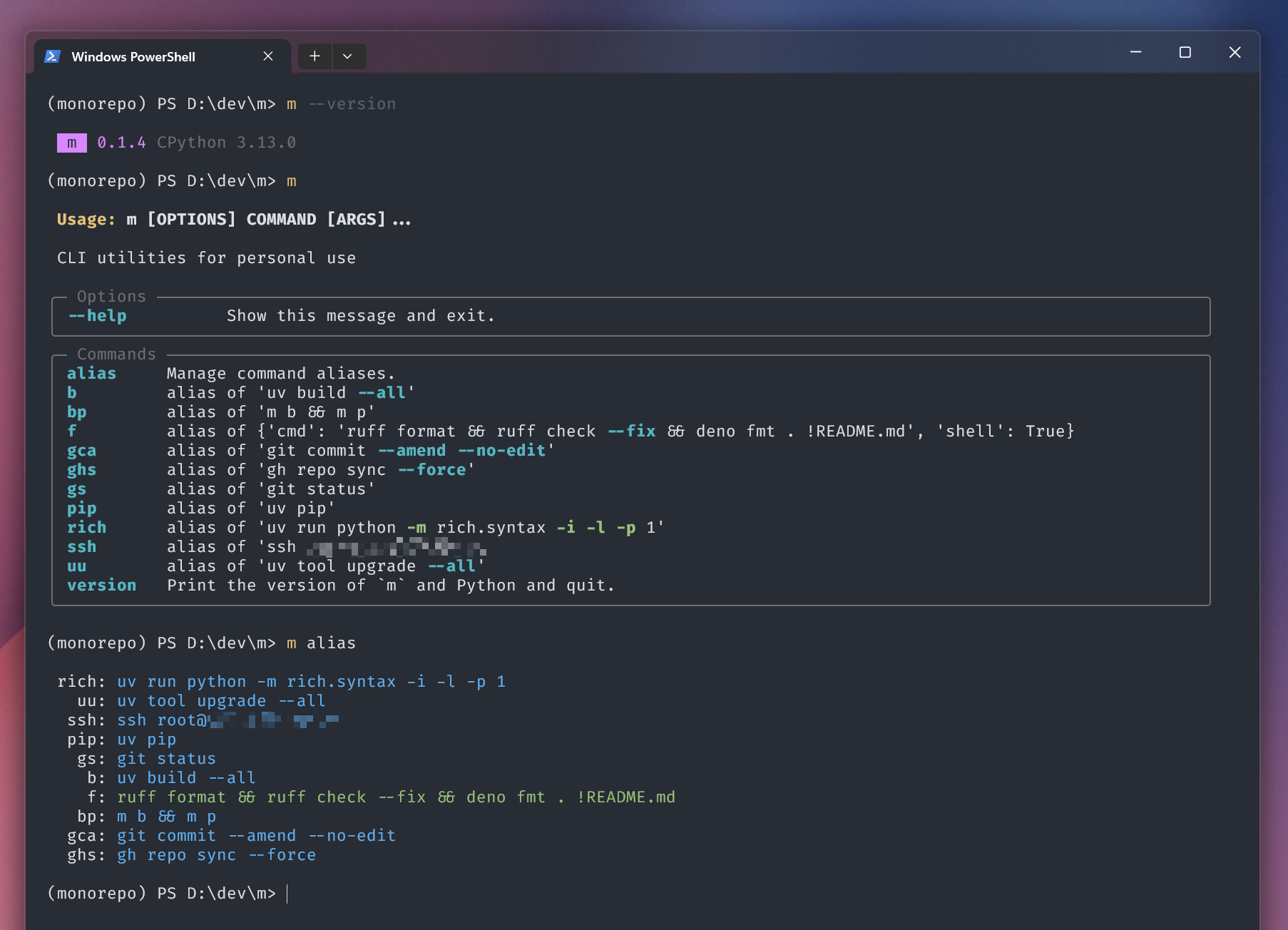
m 是一个 CLI 工具集。它目前特性很少,但是实现很优雅 ✨
- 动态扩展插件,支持在项目中直接定义 / pip install 等方式安装 plugins
- 支持类似 shell alias 的 alias 功能,但更灵活;而且较 pdm scripts 相比 startup overhead 低得多
之所以叫 m 是因为
- 作为一个 task runner 我每天可能数十次甚至数百次调用它,我希望它的名字尽可能短
- 既然我是 Muspi Merol,那就用
m吧 :D
复用的项目
我喜欢复用自己写过的东西。本项目也不例外,比如它用到了以下这些我写的库:
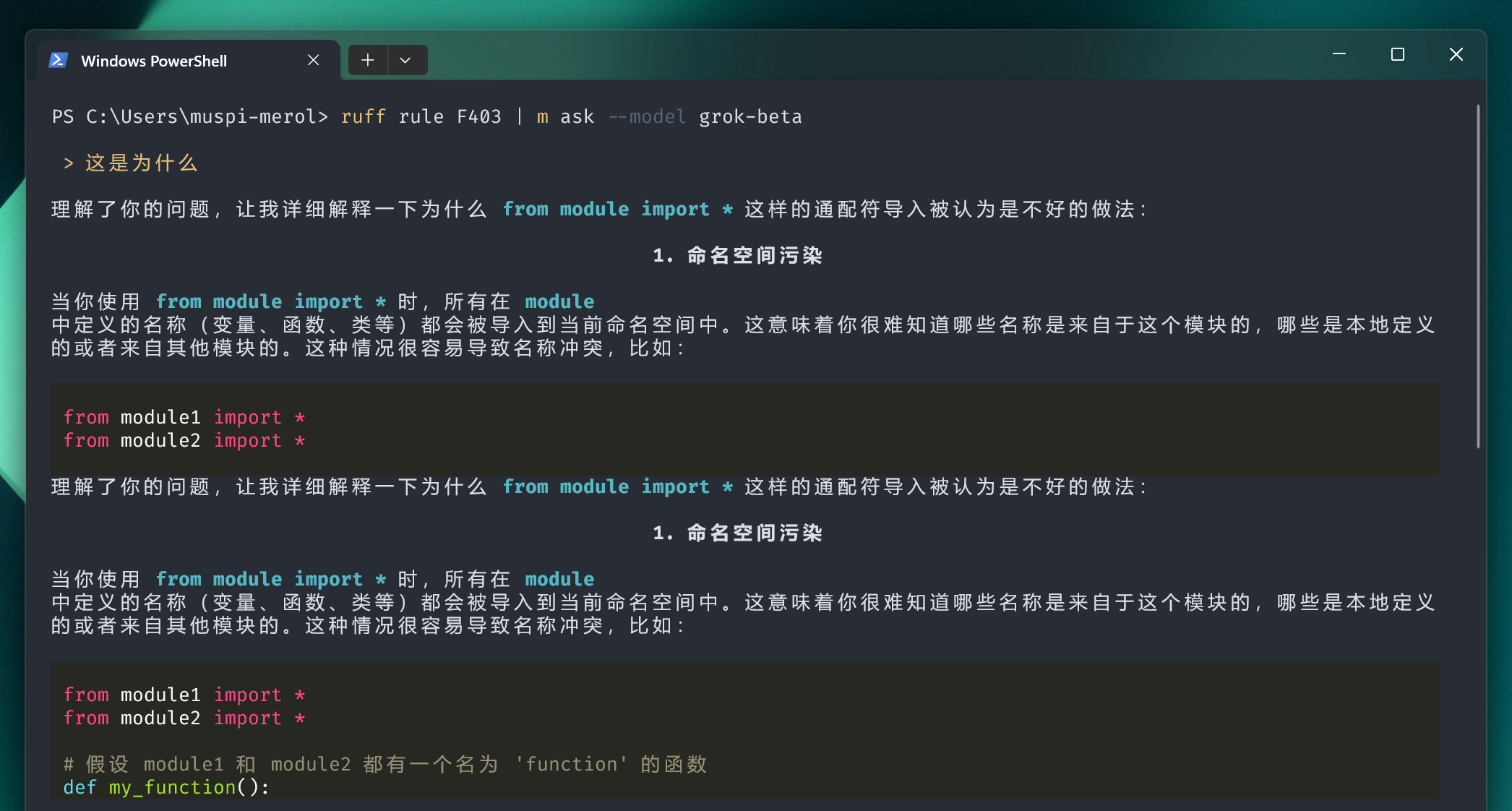
m ask 使用了
比如可以在终端问 LLM,并流式显示 markdown 回复
m read 使用了
- python-readability 提取网页正文
- html2text2 将 HTML 转为 Markdown
m 本身 有段代码 实现了将自己注入到 cwd 的虚拟环境中的代码。我 有篇博客 解释它。
另外,其实我本地还有个 m mcp 的组件,用来开发本地实验性的一些暴露给 Agent 的功能。后来逐渐地把其中一些免费的功能搬到了
- refined-mcp-servers 的 gh-mcp 工具,尤其是它选择的 3 个 choice:yaml、graphql 以及 jq
- temporary-mcp-servers 中的 webview-mcp.py,不过我
m mcp中还做了一些自动滚动的功能,以及一个 “自动用搜索引擎搜索,并用 LLM / sampling 来整理 HTML/markdown 结果” 的功能
插件系统
节选自 register.py:
def get_commands():
    from importlib import import_module
    from pkgutil import iter_modules

    commands = import_module("m.commands")

    for info in iter_modules(commands.__path__):
        module = import_module(f"m.commands.{info.name}")
        app = getattr(module, "app")
        if isinstance(app, Typer):
            yield app
因此有两种主流的方式提供插件:
- 发布一个 PyPI 包,在
m/commands下放一个模块 - 在项目中直接创建
m/commands目录,并在其中放置模块
Try Now
pip install muspi-merol
或者直接尝试 在 terminal 中对话 LLM:
uv tool install muspi-merol[all] -U

m config chat.options.model llama-3.3-70b
m config chat.openai_base_url https://promplate-api.free-chat.asia
m config chat.openai_api_key from-resume

m --help | m ask "介绍下怎么用这个 CLI"
这里用到了一个我的免费的 OpenAI API Router promplate-demo